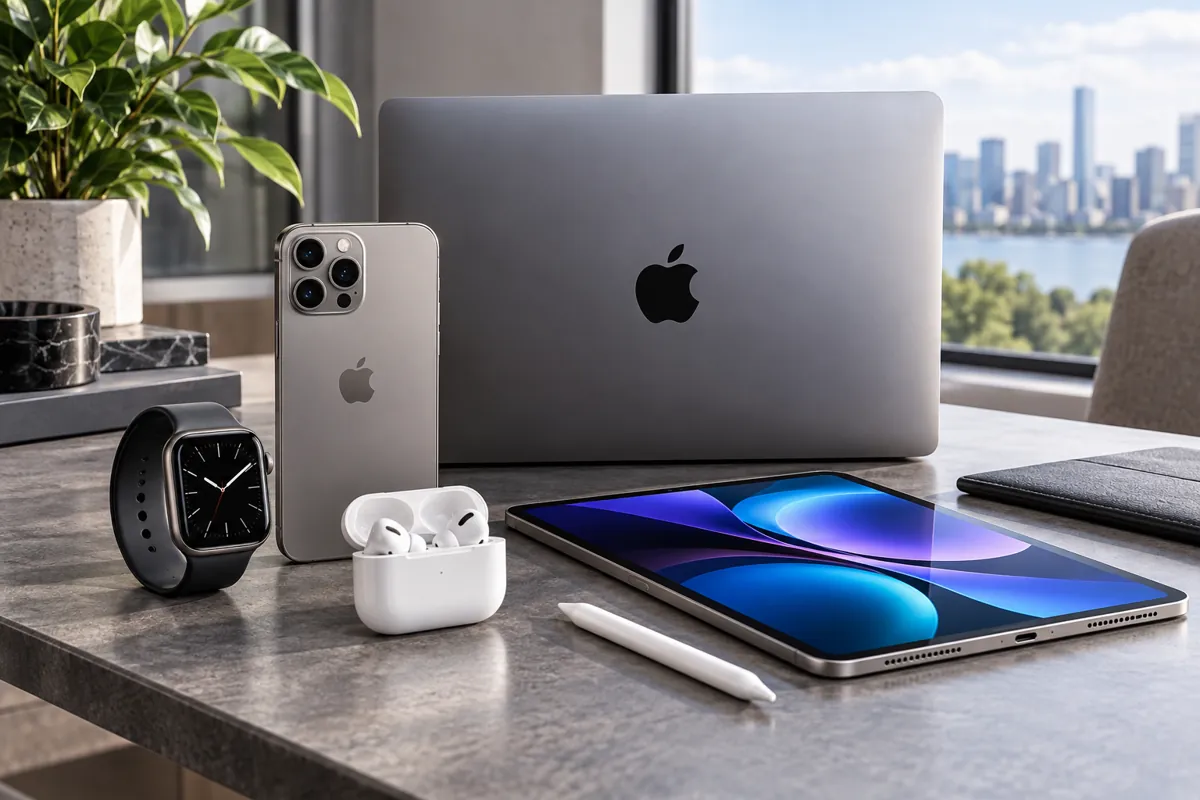
Apple & Mobile Devices
iPhone, Mac, M-chips, Android and APK questions
Introduction
Apple and mobile devices have transformed the way people communicate, work, and access information. With over 1.2 billion active iPhones worldwide as of 2023, these devices are integral parts of daily life for many users. Their popularity stems from innovative design, seamless integration, and a robust ecosystem that makes technology accessible for both casual users and professionals.
Understanding how Apple and mobile devices function helps users maximize their potential. Whether considering an upgrade, troubleshooting issues, or exploring new features, having a comprehensive overview enables informed decisions. This guide aims to cover foundational concepts, operational mechanics, practical usage, common pitfalls, and expert advice, offering a complete resource on the subject.
Definition and core concepts
Apple's mobile devices primarily comprise the iPhone and iPad, both of which operate on a proprietary platform called iOS. iOS is a closed-source operating system designed exclusively for Apple hardware. Key features include optimized user interfaces, security frameworks, and extensive app ecosystems hosted on the Apple App Store.
Core concepts revolve around the device architecture, data security, and ecosystem integration. The hardware components include A-series chips (like the A15 Bionic), high-resolution Retina displays, multiple sensors, and durable battery systems. Software concepts emphasize user privacy, rapid updates, and compatibility across devices.
Connectivity plays a vital role. Mobile devices utilize technologies such as LTE, 5G, Wi-Fi 6, Bluetooth 5.0, and NFC for communication. Apple integrates these with services like iCloud, which offers cloud storage from 5 GB starting free, scaling to 2 TB for paid plans. The ecosystem also incorporates Apple ID, enabling synchronized access across iPhone, iPad, Mac, and Apple Watch.
How it works
An Apple mobile device begins functioning through a hardware-software collaboration. Powering on the device initializes the firmware, which loads the device’s iOS bootloader. The bootloader verifies the operating system's integrity before launching it into memory.
The A-series chip is central to processing, managing everything from running apps to system operations. For example, the A15 Bionic features a six-core CPU, with two performance cores and four efficiency cores. It also includes a four-core GPU and a 16-core Neural Engine designed for machine learning tasks.
Touch ID or Face ID provides biometric security through embedded sensors. Face ID employs a TrueDepth camera system with infrared sensors and dot projectors to create a detailed 3D map of the user's face. Touch ID relies on capacitive fingerprint sensors integrated into the home button or power button, depending on the model.
Wireless communications are enabled through a combination of antennas and chips that support 5G connectivity, up to 4 Gbps download speeds with compatible networks. Wi-Fi 6 offers gigabit-speed wireless connections, while Bluetooth 5.0 supports accessories like headphones and keyboards. NFC allows contactless payments via Apple Pay, which secures transactions with tokenization and biometric authentication.
Software functions operate through the iOS kernel, managing system resources, multitasking, and security protocols. The user interface is driven by touch gestures, which are interpreted by the system’s input layer. Applications run in sandboxed environments, limiting access to system resources for security and stability.
Practical application
Apple devices serve multiple practical purposes for diverse user groups. For everyday communication, iMessage and FaceTime enable instant messaging and video calls over Wi-Fi or cellular data. For example, an average user might send 50 messages and initiate 10 FaceTime calls per day.
In the realm of productivity, apps like Notes, Calendar, and Pages help users organize their schedules and create documents. With the help of iCloud Synchronization, these data are instantly updated across all Apple devices. An example includes editing a PDF on iPad and accessing the latest version on MacBook within seconds.
Photography and videography are significant features. iPhone models from iPhone 12 onwards offer multiple lenses with optical zoom (up to 3x on the iPhone 13 Pro). Camera capabilities include night mode, Deep Fusion, and 4K video recording at 60 fps. Users store photos in iCloud, freeing device storage and allowing easy sharing through AirDrop or Messages.
Health applications leverage sensors like accelerometers, gyroscopes, and the ECG app on compatible models. Apple Watch integration expands health tracking, including heart rate monitoring, sleep analysis, and workout data that syncs with the Health app on iPhone.
Security features such as Find My enable locating lost devices, remotely locking, or wiping data to prevent unauthorized access. Over 1.4 million devices are reported to be tracked daily using these features, illustrating their practical importance in theft protection.
Enterprise use is also common. Businesses deploy mobile device management (MDM) solutions on Apple devices to enforce security policies, configure infrastructures, and facilitate remote support. For example, large corporations like Deloitte or Apple itself manage hundreds of thousands of devices with specialized MDM software.
Common mistakes
Many users underestimate the importance of regular software updates. Failing to update iOS, which patches security vulnerabilities and bugs, can leave devices open to attacks. For instance, neglecting a 15-minute update might expose the device to threats like malware or data breaches.
Another frequent mistake is overloading device storage. Devices with less than 10 GB free space tend to experience slowdowns and app crashes. Users often ignore this until performance deteriorates significantly, leading to the need for data cleanup or hardware upgrade.
Misconfiguring privacy settings also poses risks. Not enabling two-factor authentication (2FA) on Apple ID or not reviewing app permissions can compromise personal data. For example, allowing apps unlimited access to location or contacts may result in data misuse or privacy breaches.
Using unofficial charging accessories or hardware can damage internal components or reduce battery lifespan. Apple recommends using certified accessories, as third-party chargers lacking MFi certification may deliver inconsistent power or cause overheating.
Expert recommendations
Regularly update your device to benefit from the latest security patches and feature enhancements. Apple typically releases updates twice a year, with security patches rolled out as needed. For example, iOS 17 introduced new customization features and privacy controls in September 2023.
Optimize your device's performance by managing storage efficiently. Delete unused apps, clear cache data, and turn off unnecessary background processes. Utilizing iCloud Photo Library can help manage storage by keeping high-resolution photos in the cloud and optimized versions locally.
Take advantage of built-in security features like Face ID and two-factor authentication. Always enable Find My and set strong, unique passwords for your Apple ID. Apple’s Passwords feature can generate and store complex passwords within Safari or iCloud Keychain.
When choosing accessories like chargers or cases, prioritize certified products. MFi (Made for iPhone) certification ensures compatibility and safety. Genuine accessories tend to last longer and prevent potential damage caused by inferior third-party products.
Conclusion
Apple and mobile devices have established themselves as essential tools in personal and professional contexts. Their combination of hardware efficiency, software security, and ecosystem interoperability enables a wide array of applications and convenience. Staying informed about their core concepts, operation, and common pitfalls ensures optimal utilization and longevity.
Being aware of expert recommendations helps users avoid avoidable issues and enhances device performance. As technology advances, maintaining a proactive approach ensures these devices continue to serve efficiently and securely.